
Security Flaws You Don’t Know You Have: How Hackers Target Smart Homes
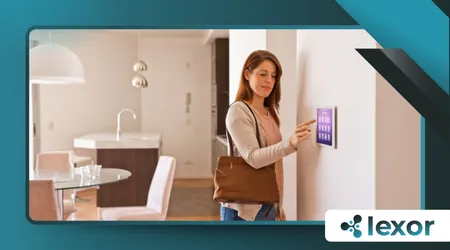
Security Flaws You Don’t Know You Have: The dream of a fully automated home, where thermostats adjust themselves and doors unlock with a voice command, is now a reality for millions.
Yet, this seamless convenience comes with a concealed price: an expanded attack surface. Many homeowners live under a false sense of digital security.
It’s critical to understand that the very devices designed to simplify our lives can become conduits for sophisticated cyber threats. The question is not if your smart home is vulnerable, but how vulnerable it is.
Connected devices offer hackers an enticing, low-hanging fruit opportunity. A single compromised device can grant an unauthorized entry point to the entire home network.
Unlike personal computers, many smart gadgets lack robust, built-in security protocols. They are often rushed to market with little concern for long-term vulnerability management.
This presents a considerable challenge for security-conscious consumers.
Security Flaws You Don’t Know You Have: The Invisible Entry Points
The most dangerous vulnerabilities are the ones you are completely unaware of. Think of your smart home like a medieval fortress, formidable from the outside.
However, the moat is drying up, and there’s a hidden, small service tunnel leading directly into the treasury.
These subtle Security Flaws You Don’t Know You Have allow digital intrusion.
++How Account Abstraction (ERC-4337) Is Changing the Way Crypto Wallets Work
Hackers are adept at exploiting the weak points that are intentionally overlooked.
How Do Hackers Exploit Under-Secured Smart Cameras and Doorbells?

Smart cameras and video doorbells are ostensibly security devices, but paradoxically, they create a major risk. Many cheaper models transmit video streams without proper, end-to-end encryption.
A hacker sitting on the local network can easily intercept the feed. This allows them to monitor occupants’ daily schedules and identify times when the home is unoccupied.
It’s an invaluable reconnaissance tool for both physical and digital theft.
What Role Does the Wi-Fi Router Play in Smart Home Insecurity?
The Wi-Fi router acts as the central nervous system for your entire smart ecosystem. If the router’s firmware is outdated, or if it uses the outdated WPA2 security protocol, the entire network is at risk.
++How to Build an Entirely Offline Smart Home (Zero Cloud Dependency)
Hackers can employ “man-in-the-middle” attacks, silently rerouting your traffic. This means they can capture login credentials for all connected devices.
A single, weak password on the router compromises everything in your digital household.
How Do Hackers Monetize a Compromised Smart Home?
The financial motives behind smart home attacks are varied and increasingly sophisticated. Hackers are not always looking to steal your credit card number, although that remains a significant goal.
They often co-opt your resources for their own illicit purposes.
Can My Smart Refrigerator Become Part of a Botnet?
Absolutely. A large-scale, coordinated attack often uses hundreds of thousands of compromised devices to form a “botnet.”
Hackers use these networks to launch crippling Distributed Denial of Service (DDoS) attacks against major corporations.
++DIY vs Professional Installation: What’s Best for Smart Homes?
Your refrigerator, smart TV, or voice assistant becomes an unwitting participant. These devices are used to flood a target server with overwhelming traffic.
The Smart Lock Ransom
Imagine a smart lock that is remotely accessible via an unencrypted cloud server. A hacker gains access and remotely locks you out of your own house.
They send an anonymous email demanding a ransom in cryptocurrency to restore your control. Since your physical access is tied to the digital key, the urgency forces compliance.
This is a terrifying, emerging category of extortion.
How Can I Identify and Fix Security Flaws You Don’t Know You Have?
The industry is slowly converging on improved standards, but consumer vigilance is still the primary defense.
You must adopt a proactive, skeptical mindset regarding new smart devices. Assume every device is a potential liability until proven otherwise.
What are the Best Practices for Securing the Smart Home Network?
Creating a separate, dedicated network for all IoT devices is a crucial step. This is known as a Guest Network or a segmented VLAN.
++6 Surprising Ways Hackers Can Exploit Your Smart Home Devices
If a hacker compromises your smart light bulb, they remain isolated from your main network. This primary network contains your computers, phones, and sensitive financial data.
The Data Privacy Breach
A highly popular brand of air quality monitor was recently found to have a critical firmware vulnerability. A hacker could exploit this to upload custom, malicious code.
Instead of simply monitoring the air, the device could be weaponized to continuously scan the local network for open ports.
The owners, believing they were improving their health, unwittingly exposed their entire digital domain.
The data confirms that the scale of the problem is increasing rapidly.
According to a 2024 report by the Kaspersky Global IT Security Risks Survey, one in four people (25%) using smart home technology has experienced a security incident in the past 12 months.
This statistic underlines the ubiquitous nature of these digital threats. Furthermore, the average number of vulnerabilities found in new IoT devices rose by $12\%$ between 2023 and 2024.
These numbers should serve as a wake-up call for homeowners. The complacency surrounding these devices is no longer acceptable.
Consider your smart home as a neighborhood. Your main computer is the bank vault, and your smart devices are the unlocked bicycles left outside.
A savvy thief doesn’t go straight for the vault; they steal an unsecured bicycle. Then, they use the bicycle to scout the neighborhood, gather information, and discreetly bypass the main security system.
The smallest, cheapest device, the forgotten digital bicycle, often provides the easiest point of entry. It’s a fundamental vulnerability.
Securing Your Digital Fortress: The Path Forward
The future will undoubtedly bring even more connected devices into our homes. However, you can control the security posture of your environment.
Demand transparency from manufacturers regarding their security updates and data practices. Do we truly believe that convenience should supersede our basic need for privacy and safety?
| Security Component | High-Value Action | Frequency |
| Router Firmware | Check for and install vendor updates. | Monthly |
| Default Passwords | Change all factory-set passwords immediately. | Upon Installation |
| IoT Network | Isolate smart devices on a separate network (VLAN). | Initial Setup |
| Device Audits | Power down and review unused smart devices. | Quarterly |
The cumulative effect of these simple actions fundamentally transforms your risk profile. By taking control of the security narrative, you protect your home.
Don’t wait for a digital intrusion to force you to address the Security Flaws You Don’t Know You Have.
Conclusion: Don’t Let Convenience Become Complacency
The convenience of smart technology is compelling, but the hidden risks are real and escalating. The battle for digital privacy and security is fought on the front lines of your home network.
By understanding how hackers target the subtle, often-overlooked vulnerabilities, you move from being a passive user to an informed defender.
Your attention to these Security Flaws You Don’t Know You Have is the best shield against tomorrow’s sophisticated cyber attacks. Be skeptical, be diligent, and keep your digital house in order.
Frequently Asked Questions
What is a Botnet and how does it relate to my smart home devices?
A botnet is a network of internet-connected devices that have been compromised by a hacker and used for malicious tasks.
Your smart devices, like cameras or appliances, can be recruited into this network without your knowledge, often used to launch large-scale attacks on other targets.
Should I disable remote access to my smart devices?
For devices that do not absolutely require remote access (e.g., smart plugs for lamps), disabling this feature significantly reduces your attack surface.
For essential devices (like a thermostat), ensure strong, unique passwords and two-factor authentication are mandatory.
How often should I check my smart devices for software updates?
You should enable automatic updates for all smart devices. If this option is unavailable, check for updates at least once a month. Updates frequently contain patches for newly discovered critical security vulnerabilities.
